





This is really simple and fast hope you enjoy!
Ok lets get started
This is what u can end up with

Open a new document 150*150
Then Set your Foreground and Background to these Colors
Foreground: #FFAE00
Background: #A2A2A2
Create a new layer
Now select the elliptical marquee tool and set the style to fixed size and make it 120*120 px
Now click on the document and fill in the cirle with the foreground colour(orange)
you should have this:

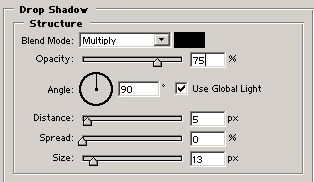
Go to Layer>LayerStyle>Drop Shadow
And set it to this:
Now create a new layer
Now select the Cutom Shape Tool
I selected the radioactive sign but you can select whatever you wish!
Now draw it into the new layer about 2/3 of the size of the circle using the Background colour(Greyish)
You should now have somthihng similar to this:

Ok almost done
Now create another new layer
Set your Foreground to White and Then select the Eleptical Marquee Tool
And make a selection while holding Shift to abou this size:
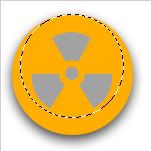
Ok now Select the Gradient Tool and Select Foreground To Transparent
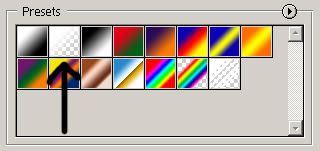
Then Fill in the selection so that you have something like this:
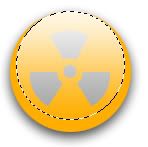
And then Deselect
Thats It
You dont have to choose orange of course here is what you get if you try some other colours:
 Or
Or 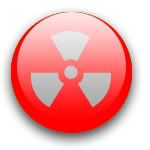 Or
Or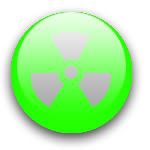
Hope you enjoyed
Please Leave some Comments
Edited by MK_LAGI, 24 December 2005 - 07:47 AM.


