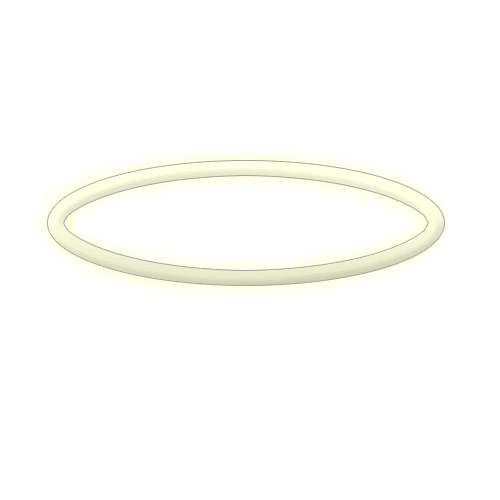
Difficulty: Easy
Time Needed: 5-10 mins
Whats Needed: Photoshop CS and up
Lets Begin
Step 1.
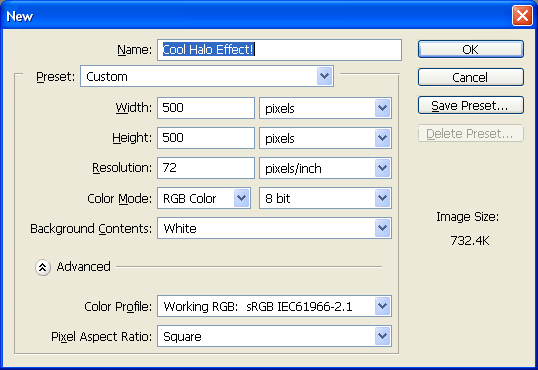
Open a new document by hitting CTRL+N on your keyboard, and use the following settings:
Step 2.
Grab your Eliptical Marquee Tool, and change the settings to match below:

Step 3.
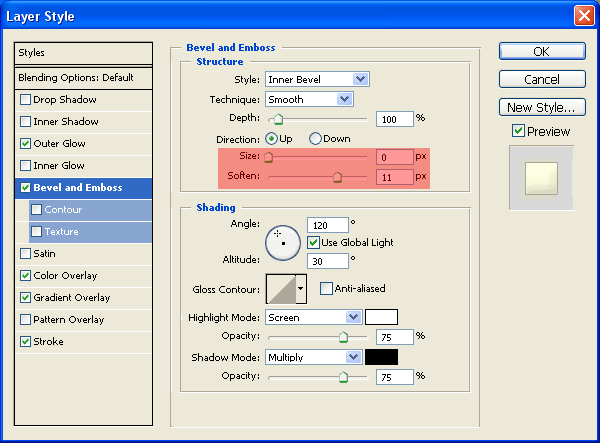
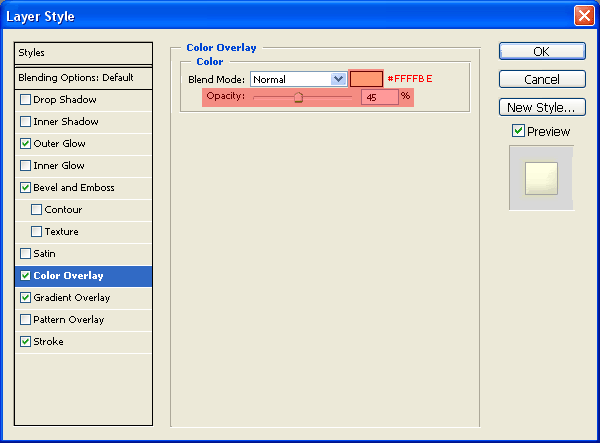
Open up the effects box and add the following effects:
Bevel And Emboss
Color Overlay
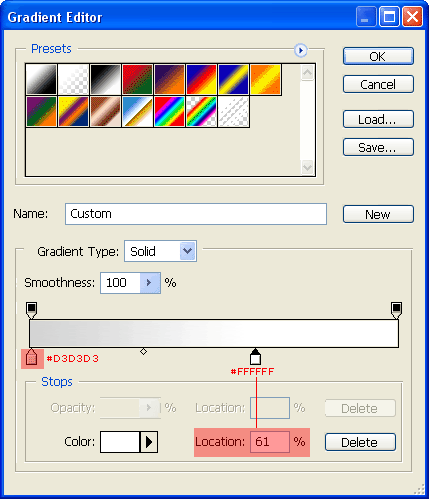
Gradient Overlay
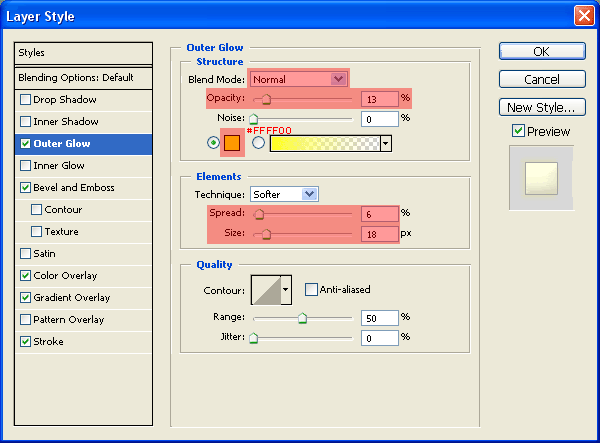
Outer Glow
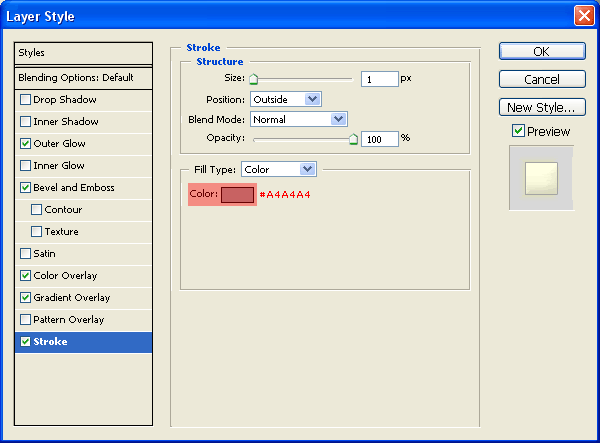
Stroke
Step 4.
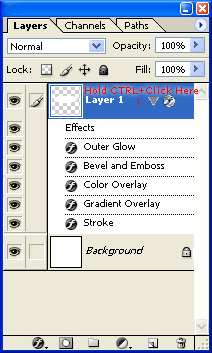
Load the selection of 'Layer 1':
Step 5.
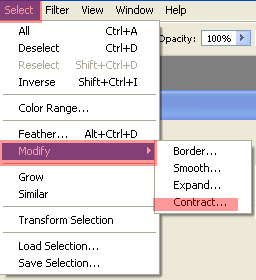
Go to Select -> Modify -> Contract:
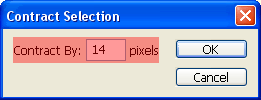
And then hit delete on your keyboard.
Step 6.
Now we are done, you can go ahead and save your document!
My Final Product: